

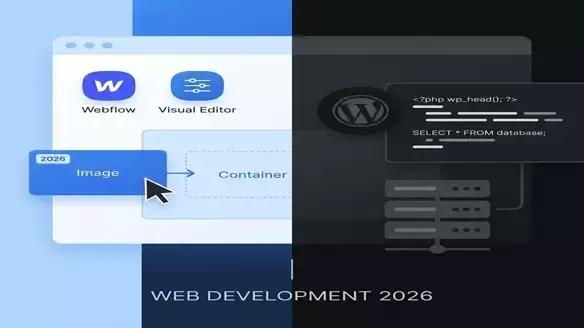
Webflow vs WordPress: The 2026 State of Play
For a decade, the argument was simple: Webflow for designers, WordPress for everyone else. In 2026, Webflow has Logic, Memberships, and Localization. WordPress has Full Site Editing (FSE).
They are closer than ever, yet world's apart.
Quick Verdict
Choose Webflow if:
- You are a design snob. You want pixel-perfect animations without writing custom JS.
- You hate maintenance. No plugin updates, no PHP errors, no server management. It just works.
- You are building a marketing site. For SaaS landing pages and portfolios, it is the gold standard.
Choose WordPress if:
- Content is your product. You have 1,000+ blog posts or complex taxonomies.
- You need specific functionality. If there's an API, there's a WP plugin for it.
- You are on a budget. You can host WordPress for $5/mo. Webflow starts higher.
Critical Feature Breakdown
1. Design & animation
- Webflow: The interface is CSS grid/flexbox visualised. Its interaction engine (GSAP-like) is unrivalled in the no-code space.
- WordPress: Block themes are better in 2026, but complex animations still require custom code or heavy plugins.
2. CMS & Scalability
- Webflow: Rigid. You hit limits on items (CMS items) and nested collections. Great for simple structures, painful for complex databases.
- WordPress: Infinite. Custom Post Types (CPT) and Advanced Custom Fields (ACF) let you build anything from a directory to a social network.
3. SEO
- Webflow: Clean out of the box. Fast servers (AWS). No plugin bloat.
- WordPress: High ceiling, low floor. If optimized correctly (Yoast/RankMath), it's unbeatable. If neglected, it's a slow mess.
The "Lock-in" Reality
| Factor | Webflow | WordPress |
|---|---|---|
| Hosting | Locked to Webflow (AWS) | Anywhere (DigitalOcean, Vultr, Shared) |
| Code Export | Possible (HTML/CSS/JS) but static | You own the PHP/DB completely |
| Plugin Dependency | Low (Native features) | High (The "Plugin Hell" risk) |
The Conclusion
It's a battle of philosophies.
- Webflow is Apple. Integrated, expensive, beautiful, limited.
- WordPress is Android. Messy, infinite, cheap, powerful.
In 2026: If you are an agency building marketing brochures, use Webflow. If you are a business building a media empire, use WordPress.