

Introduction
In the world of modern software development, containerization has become the standard. Developers package applications into containers to ensure they run consistently across different environments.
But running a few containers on your laptop is easy. The real challenge begins when you need to run hundreds of them in production.
You have a web server, a database, a cache, a background worker, and a monitoring agent. And you need them to run across 10 different servers.
What happens if one server crashes? What if traffic spikes and you need 50 more web servers instantly? Manually managing this scale is impossible.
This is where Kubernetes comes in.
What is Kubernetes?
Kubernetes (often shortened to K8s) is an open-source container orchestration platform.
If Docker is the musician playing an instrument (the container), Kubernetes is the conductor of the orchestra. It doesn't play the instruments itself; it tells the musicians what to play, when to play, and how loud to play.
It automates the deployment, scaling, and management of containerized applications.
Kubernetes vs. Docker
There is a common misconception that you have to choose between Docker and Kubernetes.
They are not competitors; they are best friends.
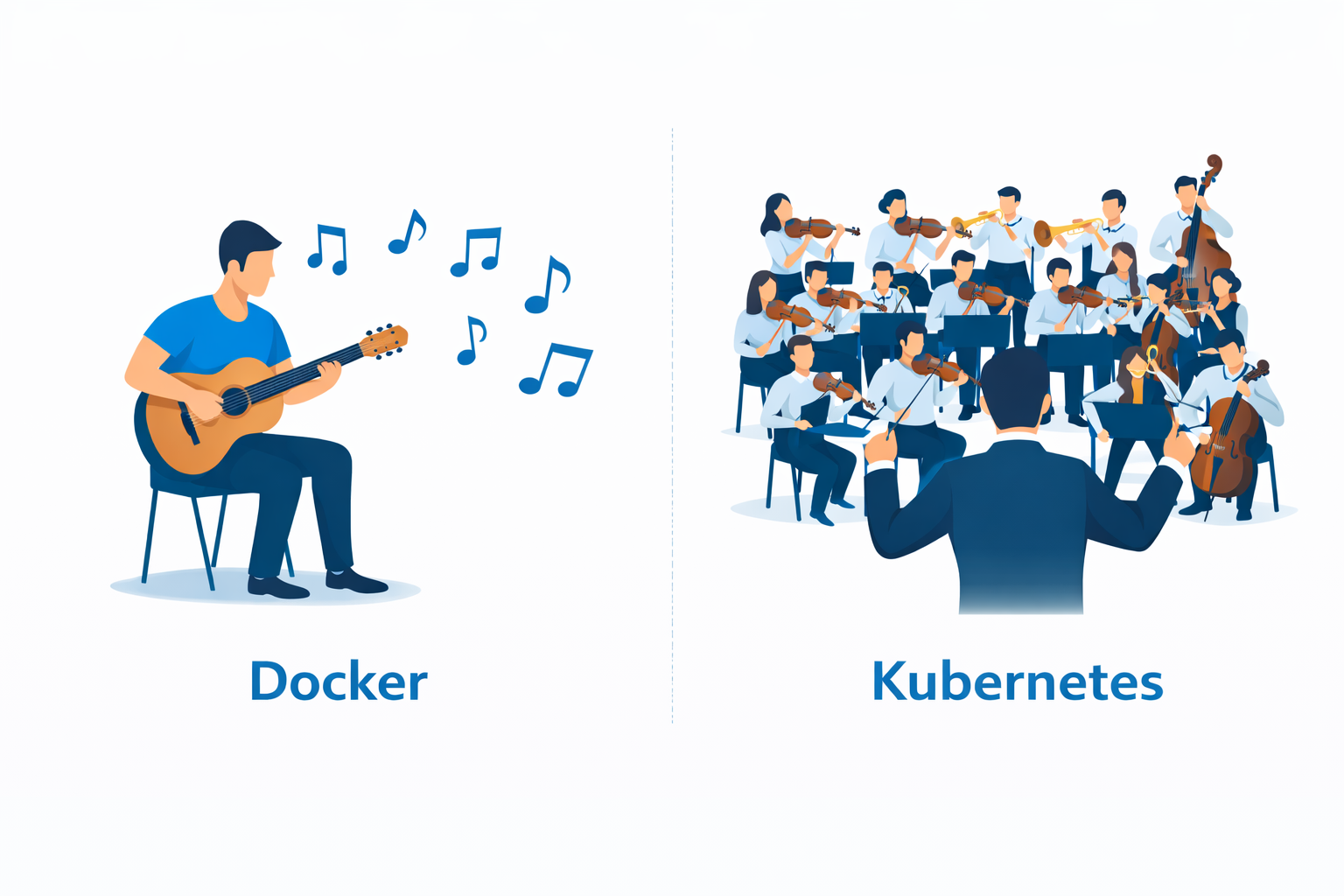
- Docker is used to create and run the containers.
- Kubernetes is used to manage those containers at scale.
You build your app with Docker, and then you give it to Kubernetes to run it for you.
How Kubernetes Works (Architecture)
A Kubernetes system is called a Cluster. It has two main parts:
- The Control Plane (The Brain): It makes decisions about the cluster (e.g., scheduling apps, detecting crashes).
- The Worker Nodes (The Muscle): These are the actual servers (VMs or physical machines) where your applications run.
The Architecture Diagram
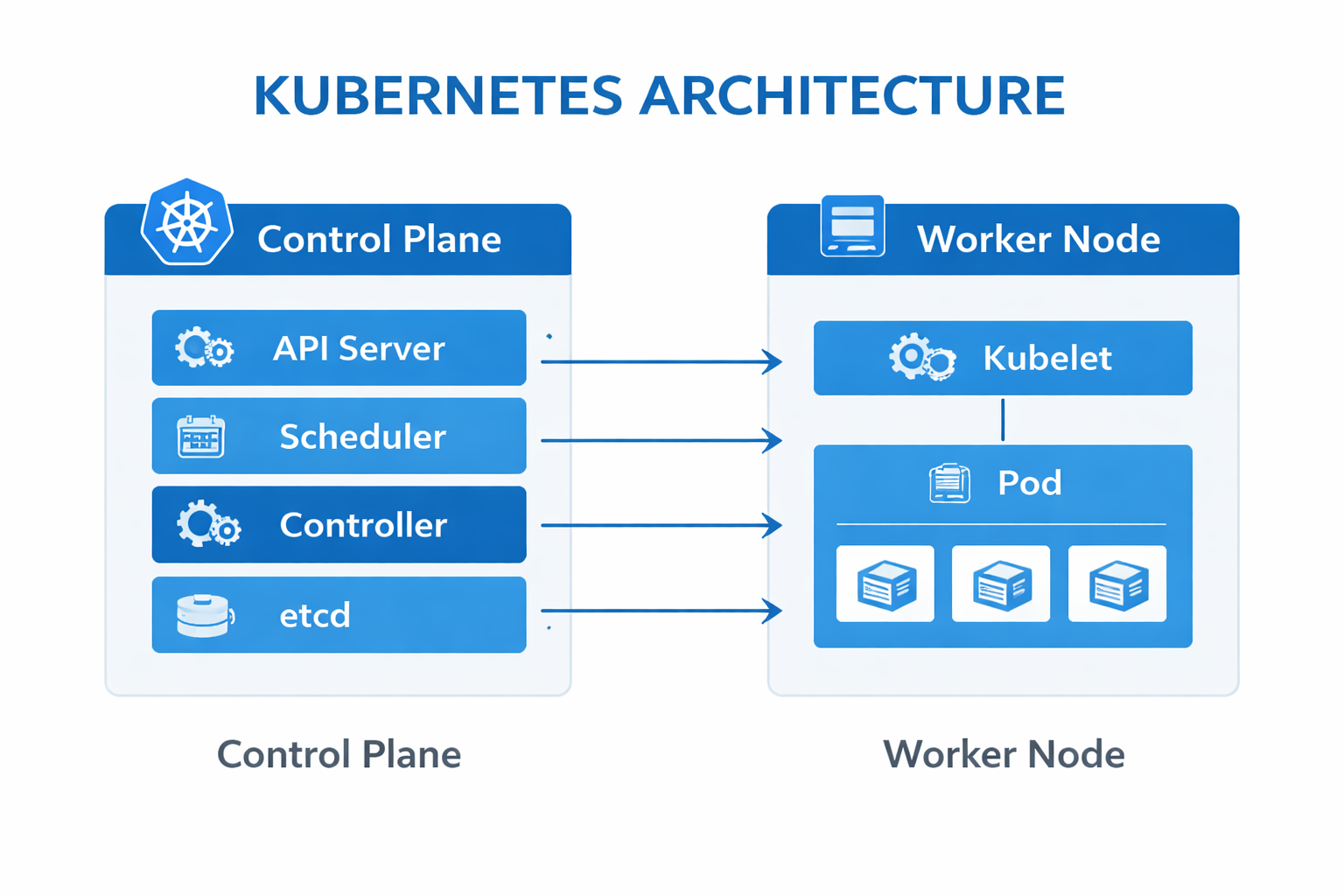
- API Server: The entry point for all commands (kubectl).
- Scheduler: Decides which node should run a new pod.
- Kubelet: An agent running on every node that ensures containers are running.
Key Concepts (The Vocabulary)
To speak Kubernetes, you need to know these four terms:
1. Pod
The smallest unit in Kubernetes. A Pod wraps one or more containers (usually Docker containers). Kubernetes doesn't run containers directly; it runs Pods.
2. Node
A machine (server) in the cluster. It can be a physical server or a virtual machine. Nodes run Pods.
3. Deployment
A blueprint for your application. You tell the Deployment, "I want 3 replicas of my web app," and it ensures that exactly 3 Pods are always running. If one crashes, it starts a new one.
4. Service
The networking layer. Pods have dynamic IP addresses that change if they restart. A Service gives a stable IP address and load balances traffic to a set of Pods.
Why Use Kubernetes?
1. Self-Healing
If a container crashes, Kubernetes restarts it. If a node dies, Kubernetes moves the Pods to a healthy node. You can sleep at night knowing K8s is watching.
2. Auto-Scaling
Traffic spike on Black Friday? Kubernetes can automatically add more Pods to handle the load and remove them when traffic drops.
3. Zero-Downtime Deployments
Kubernetes can update your application gradually (Rolling Update). It updates one Pod at a time, so your users never experience downtime during a release.
Real-World Example
The E-commerce Black Friday Scenario
Imagine you run an online store.
Without Kubernetes: It's Black Friday. Traffic surges 10x. Your single server crashes under the load. You frantically try to spin up new servers and configure them manually. By the time you're done, the sale is over, and you've lost money.
With Kubernetes: You set up a Horizontal Pod Autoscaler.
- Traffic hits 50%. Kubernetes sees the load increasing.
- It automatically spins up 10 new Pods across your cluster.
- The Service load balances traffic to all new Pods.
- The site stays fast and responsive.
- When the sale ends, Kubernetes scales back down to save money.
Conclusion
Kubernetes is the operating system of the cloud. It abstracts away the underlying hardware and lets you treat your entire data center as a single computer.
While it has a steep learning curve, the power it gives you—scalability, reliability, and automation—is unmatched.
Next Steps: Don't just read about it. Install Minikube (a local K8s cluster) on your laptop and deploy your first Pod today!